
How Much Does It Cost to Build a Shopify Mobile App in 2026?
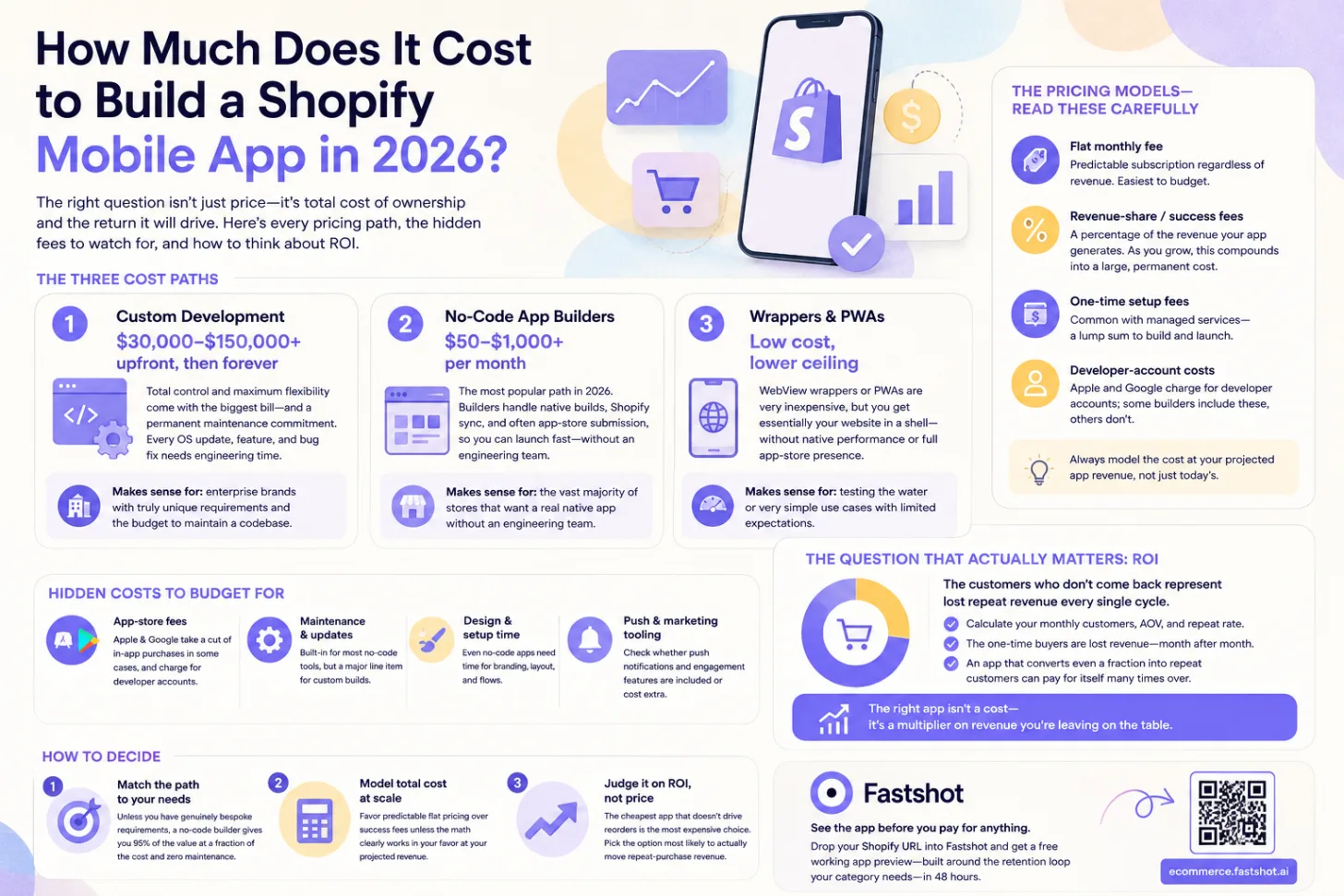
"How much does a mobile app cost?" is the wrong question if you stop there — because the answer ranges from effectively free to well over six figures depending on how you build it. The right question is: what's the total cost of ownership for the kind of app I actually need, and what will it return? This guide breaks down every pricing path in 2026, the fees that quietly inflate the bill, and how to think about whether it's worth it.
Three ways to build a Shopify app (and what each costs)
1. Custom development: $30,000–$150,000+ upfront, then forever
Hiring an agency or in-house team to build a bespoke app gives you total control — and the biggest bill. Upfront costs commonly run from the tens of thousands into six figures, depending on complexity. But the upfront number is only half the story. A custom app is a permanent maintenance commitment: every iOS and Android OS update, every new feature, every bug fix needs engineering time. Budget for ongoing maintenance indefinitely, not just the build.
Makes sense for: enterprise brands with truly unique requirements and the budget to maintain a codebase.
2. No-code app builders: roughly $50–$1,000+ per month
This is how most Shopify brands ship an app, and it's where the cost has collapsed. Instead of building from scratch, you subscribe to a builder that handles the native build, the Shopify sync, and often app-store submission. Monthly pricing spans a wide range — entry tiers in the low double digits to hundreds per month for advanced plans, and fully managed services that run higher with a one-time setup fee on top.
Makes sense for: the vast majority of stores that want a real native app without an engineering team.
3. Wrappers and PWAs: low cost, lower ceiling
The cheapest paths — a basic WebView wrapper or a Progressive Web App — can be very inexpensive, but you get what you pay for: essentially your website in a shell, without the native performance or full app-store presence that make apps worth having. (Here's the full app-vs-website tradeoff.)
Shopify app builder pricing models
The headline price isn't the whole cost. Builders use a few different models, and the differences compound:
- Flat monthly fee. You pay a predictable subscription regardless of how much revenue the app drives. Easiest to budget.
- Revenue-share / success fees. Some builders take a percentage of the revenue your app generates. This feels painless early — but as app revenue grows, that percentage of every sale compounds into a large, permanent cost. You're effectively taxed for succeeding.
- One-time setup fees. Common with managed services — a lump sum on top of the subscription to build and launch.
- Developer-account costs. Apple and Google charge for developer accounts; some builders include these, others don't.
A builder that looks cheap on the monthly line can be the most expensive option once success fees kick in. Always model the cost at your projected app revenue, not just today's.
Hidden costs to budget for
Beyond the sticker price, watch for:
- App-store fees. Apple and Google take a cut of in-app purchases in some cases, and charge for developer accounts.
- Maintenance and updates. Built-in for most no-code tools, but a major line item for custom builds.
- Design and setup time. Even no-code apps need someone to configure branding, layout, and flows.
- Push and marketing tooling. Check whether push notifications and engagement features are included or cost extra.
The ROI of a Shopify mobile app
Cost only means something next to return. An app that mirrors your store and changes nothing is overpriced at any price. An app that meaningfully lifts repeat purchases can pay for itself many times over — because the gains compound across every future order, with no added acquisition cost.
Here's the math worth running. Take your monthly customers, your average order value, and your current repeat rate. The customers who don't come back represent lost repeat revenue every single cycle — often far more than the cost of any app. If an app converts even a fraction of one-time buyers into repeat customers, the return dwarfs the subscription. This is why the lifetime-value lens matters more than the price tag: the right app isn't a cost, it's a multiplier on revenue you're currently leaving on the table.
How much should you spend on a Shopify app?
- Match the path to your needs. Unless you have genuinely bespoke requirements, a no-code builder gives you 95% of the value at a fraction of the cost and zero maintenance burden.
- Model total cost at scale. Favor predictable flat pricing over success fees unless the math clearly works in your favor at your projected revenue.
- Judge it on ROI, not price. The cheapest app that doesn't drive reorders is the most expensive choice. Pick the option most likely to actually move repeat-purchase revenue.
The lowest-risk way to evaluate the return is to see the app before you pay for anything. Drop your Shopify URL into Fastshot and get a free working app preview — built around the retention loop your category needs — in 48 hours, with no card required.
Frequently asked questions
What's the cheapest way to build a Shopify app? Wrappers and PWAs are cheapest but limited. For a real native app, no-code builders start in the low double digits per month — far cheaper than custom development, which starts in the tens of thousands.
Are there free Shopify app builders? Many offer free trials or free previews. Fastshot generates a free working app preview from your store URL with no card required, so you can evaluate the app before committing to a plan.
Why do some app builders charge a percentage of revenue? It's a pricing model where the builder earns more as your app grows. It can be costly at scale, so compare it against flat-fee options using your projected app revenue before deciding.
Is a mobile app worth the cost for a small store? It depends on repeat-purchase potential. If a meaningful share of your customers could become repeat buyers, the return on even a modest monthly fee is usually strong. Very early or one-and-done stores may want to wait.
See your app before you commit
Drop your Shopify store URL into Fastshot and get a free working app preview — built around your retention loop — in 48 hours. No card, no engineering.
Get my free preview →